


The short version
I found BURDS NERDS already listed in ChatGPT. I claimed the San Diego profile through Business Hub, then switched to my phone for the identity check. Here’s how to do it for your business.
Before you start.
OpenAI introduced Businesses in ChatGPT in beta on November 10, 2026. I started this walkthrough three days later. Business Hub lets eligible owners and authorized representatives claim a business profile and provide current details. Eligibility can depend on your location, business type, website, and the verification options available to you. OpenAI’s launch announcement · Eligibility overview
Expect two checks. The claim establishes your connection to the business. The separate identity check verifies the person who will manage it. OpenAI’s setup guide explains how each approval affects what you can do in Business Hub. OpenAI’s setup guide
- Sign in to the ChatGPT account you intend to use to manage the listing.
- Have your business name, location, and website handy so you can identify the right result.
- Have access to your business phone or domain settings. Keep a government-issued ID handy for the identity check.
Start with the account you already use. OpenAI says an Ads account and an Enterprise agreement are optional for eligible claims. Its guide doesn’t list a paid plan as a requirement. I used an existing Pro account and saw no separate charge or upgrade prompt during the claim. I didn’t test a Free account. OpenAI’s setup guide
1. Find and confirm your listing.
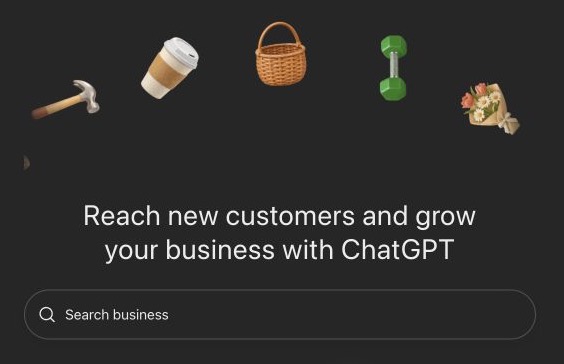
Open Business Hub from the ChatGPT sidebar or go straight to Business Hub. The direct link worked when I couldn’t see a Business Hub item in my Chrome sidebar. The page asks you to accept OpenAI’s business terms by continuing. Businesses in ChatGPT Terms
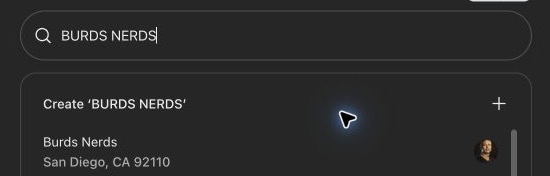
- Enter your business name in Search business. I saw both a Create option and an existing San Diego result for Burds Nerds. Check the existing results before creating anything.
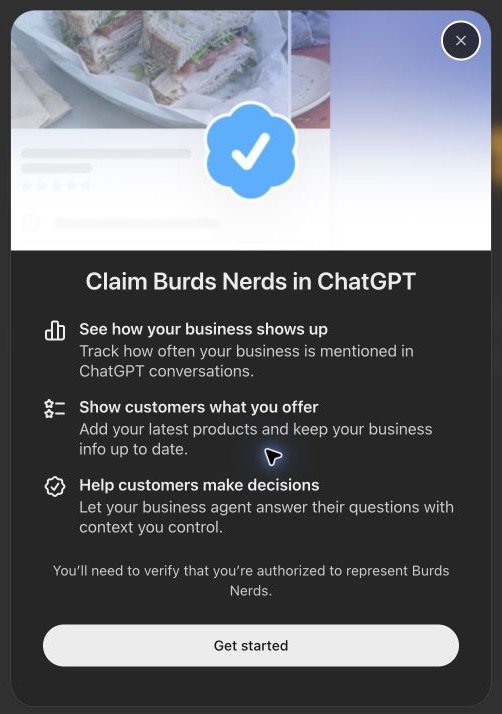
- Open the matching result and select Get started. Check the business card against your location and website, especially if the name is common. I matched ours to burdsnerds.com.
- Check the account shown on the next screen. If it’s the one that should manage the listing, select Continue.
What to do when you can’t claim the result.
- No match. Eligible online businesses may see an option to add a profile. Local stores and restaurants currently need an existing U.S. listing.
- Already claimed. Check with the person who manages your business accounts. If the claim isn’t theirs, look for Dispute ownership in the profile menu.
- Locked. Use Contact support if it appears.
OpenAI’s instructions for listing and ownership issues
2. Verify your connection to the business.
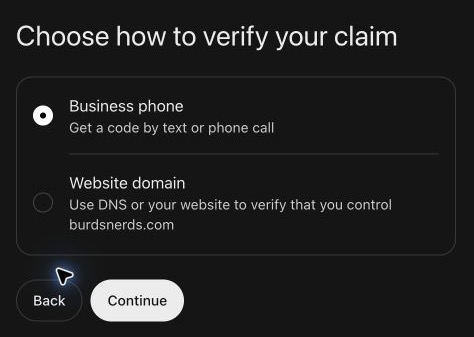
Business Hub offered Business phone and Website domain for BURDS NERDS. You may also see business email or Shopify. Choose a method you can complete with the business accounts or contact details you control. OpenAI’s verification options
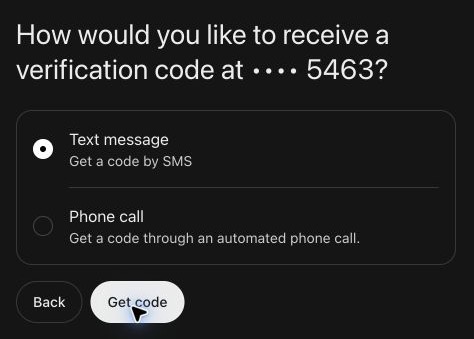
Using your business phone.
Check that the last four digits match a business number you can access. If the number is out of date, use another method Business Hub offers. I chose Text message and selected Get code. OpenAI’s instructions say to enter the code in Business Hub. The next screen I captured showed Claim received and Review in progress. Watch for an email decision or a request for more information. OpenAI’s phone verification instructions
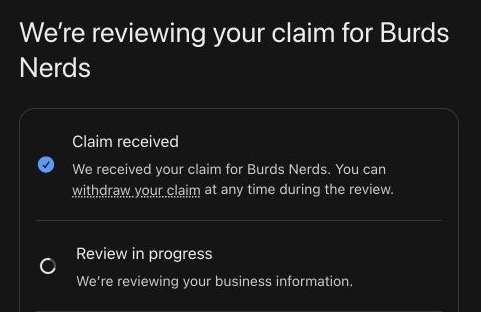
Using your website domain.
If Business Hub gives you a TXT record, open the provider that manages your domain’s DNS. That may be a different company from your web host. Add the record using the type, host or name, and value shown. Once the record takes effect, return and select Verify domain. I had DreamHost open in case I needed it. The phone route worked for our claim, so I made no DNS changes. OpenAI’s domain verification instructions
3. Complete the separate identity check.
Business Hub showed “You’ve claimed Burds Nerds.” I chose Manage your business to open the overview. The confirmation card already showed a blue check, and the overview still asked for a government-issued ID before editing the listing or publishing an agent. Check the overview for any remaining steps even if your claim confirmation shows a badge.
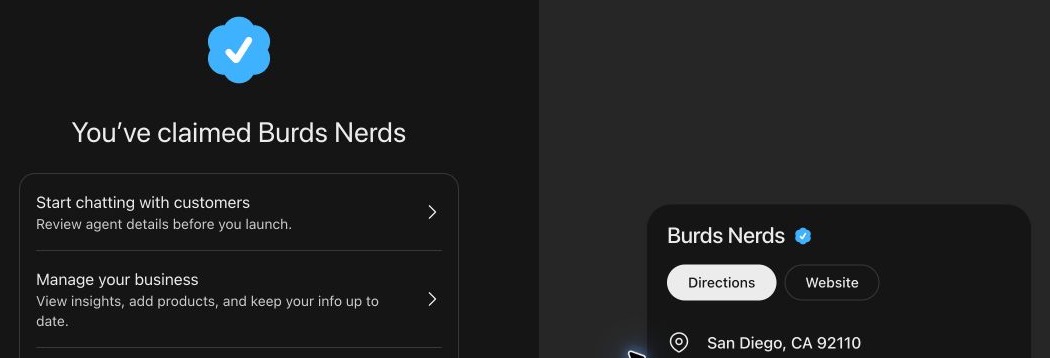
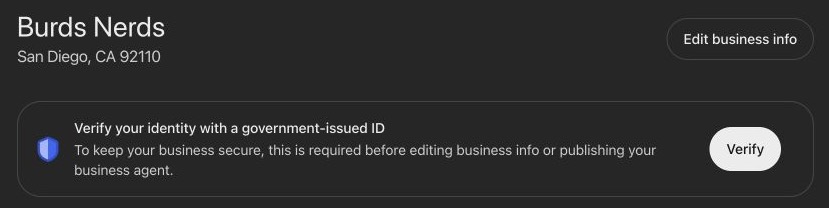
- From the overview, select Verify, then Start verification.
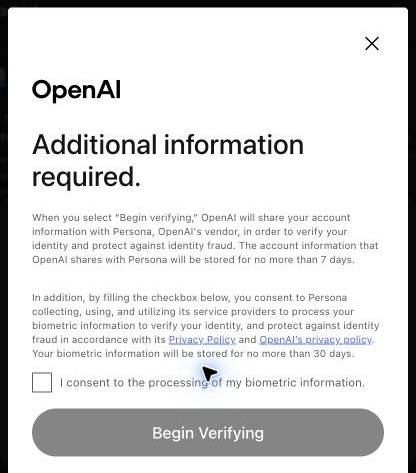
- Review Persona’s consent screen. Mine said the account information OpenAI shares with Persona is stored for up to seven days and biometric information for up to 30 days. Read the notice you see. If you consent, check the box and select Begin Verifying.
- Follow Persona’s prompts to complete the ID check. I switched to my phone using the QR code Persona provided so I could take clearer images. If your computer camera is struggling, look for that option.
- Return to Business Hub and use Check status if available. If verification is under review, watch for OpenAI’s email and wait for the review to finish before trying again. Allow for a possible wait of a few days. OpenAI says review times vary. OpenAI’s guidance on pending verification
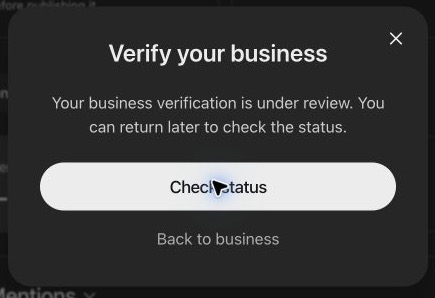
When I checked again on November 13, Business Hub returned to the overview and the ID prompt was gone. That was consistent with approval. I hadn’t seen a separate identity decision or tested access to the editor as of this walkthrough.
4. Check your listing details after approval.
Once your identity check is approved, open Edit business info. Check the website link and choose a category that reflects what you do. In the description, say what you offer, who you help, and where you work. Use a logo or photos you have permission to share. OpenAI reviews profile updates, so give them time to appear. OpenAI’s profile update instructions · Businesses in ChatGPT policy
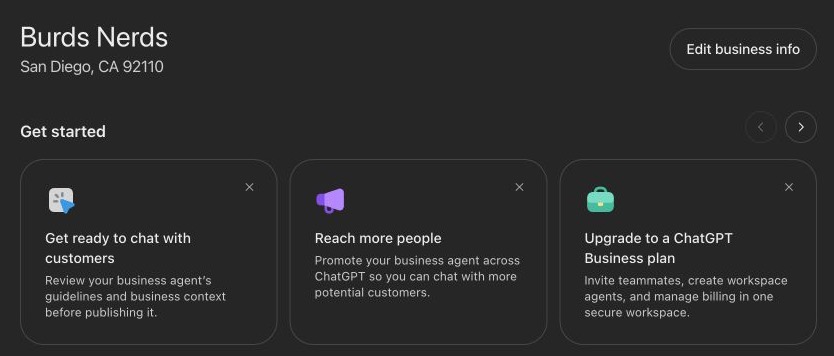
On our overview, Website access said Access confirmed. That reports whether ChatGPT could reach the saved URL. Mentions, profile views, and website clicks showed dashes. A blank metric can mean data is unavailable or there isn’t enough activity to report yet. OpenAI’s guide to profile insights
You can maintain the listing without publishing a Business Agent or running ads. At launch, OpenAI offered agents to eligible U.S. ecommerce and online service businesses. The ad offer on our confirmation screen was for a separate paid campaign. Claiming a profile gives you a way to correct the details you provide. ChatGPT still makes its own recommendations. OpenAI’s Business Hub FAQ · OpenAI’s launch announcement


